Campaign Index
Fundamentals
The campaigns index is the landing and central hub for all your campaigns.
All campaigns are listed in the index. The following headings are displayed for each campaign:
- Title.
- Status - either open, closed, or scheduled.
- The date the campaign was last modified.
- The date the campaign is scheduled to start.
- The date the campaign is scheduled to end.
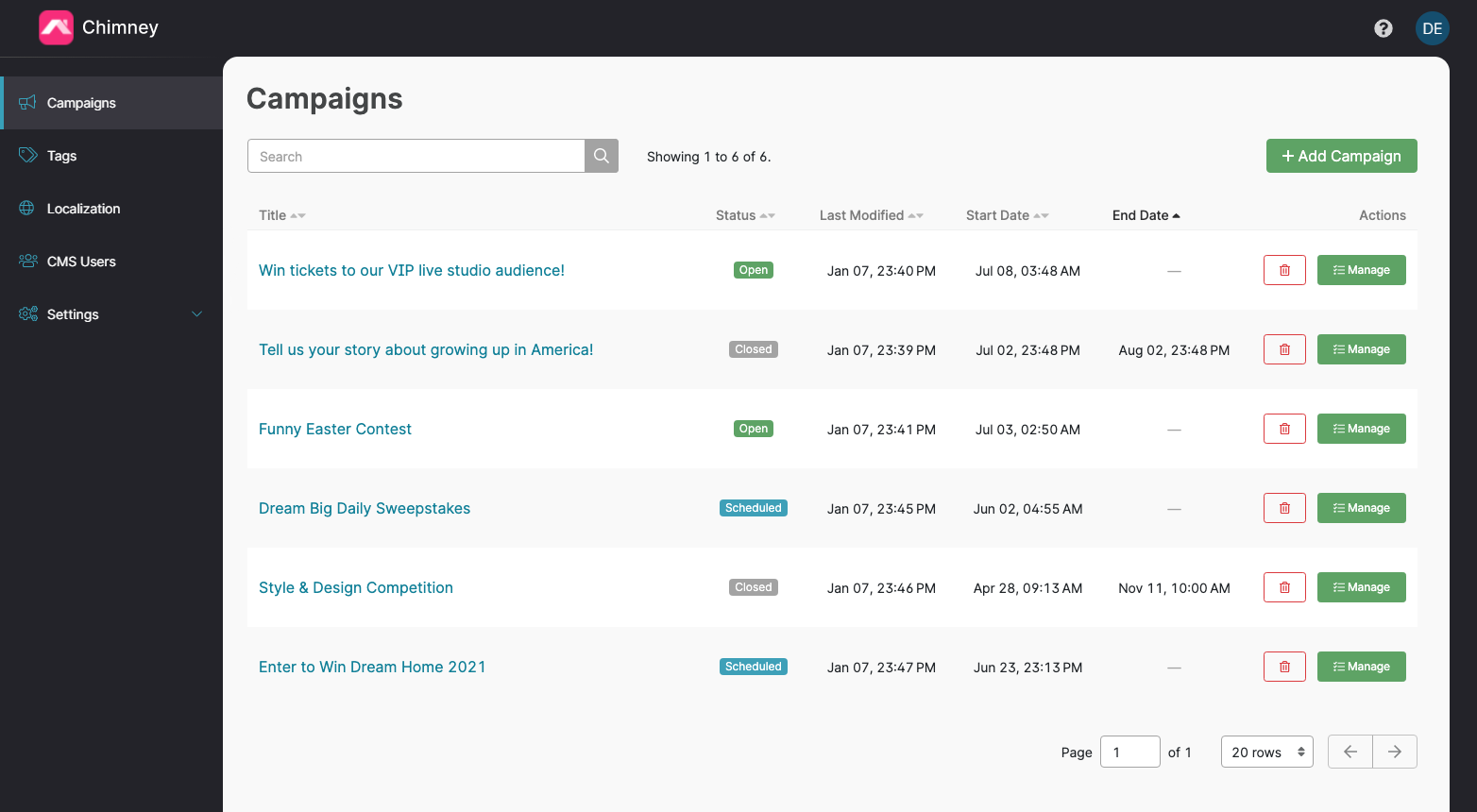
Use the search bar to find campaigns by title, status or station. Search and sorting apply to the complete set of campaigns you can access. The table loads one page at a time; use the page controls and rows selector to browse results.
The address bar records your search, station filter where available, sorting, page and number of rows. Copy the URL to reopen the same view or share it with another CMS user. Their permissions still determine which campaigns they can see. Refresh and browser Back/Forward restore the view from the URL.
Changing the search, filter, sort or number of rows starts at the first page. If a request fails, use Try again to reload the results.
From the index you can branch off into campaign creation and management.
Any campaign can be deleted straight from the index list. See Deleting a Campaign for more information.
Click the links below for how to create and manage your campaigns.